# Search and Replace Specific Terms
Create a batch change that changes specific words in every repository.
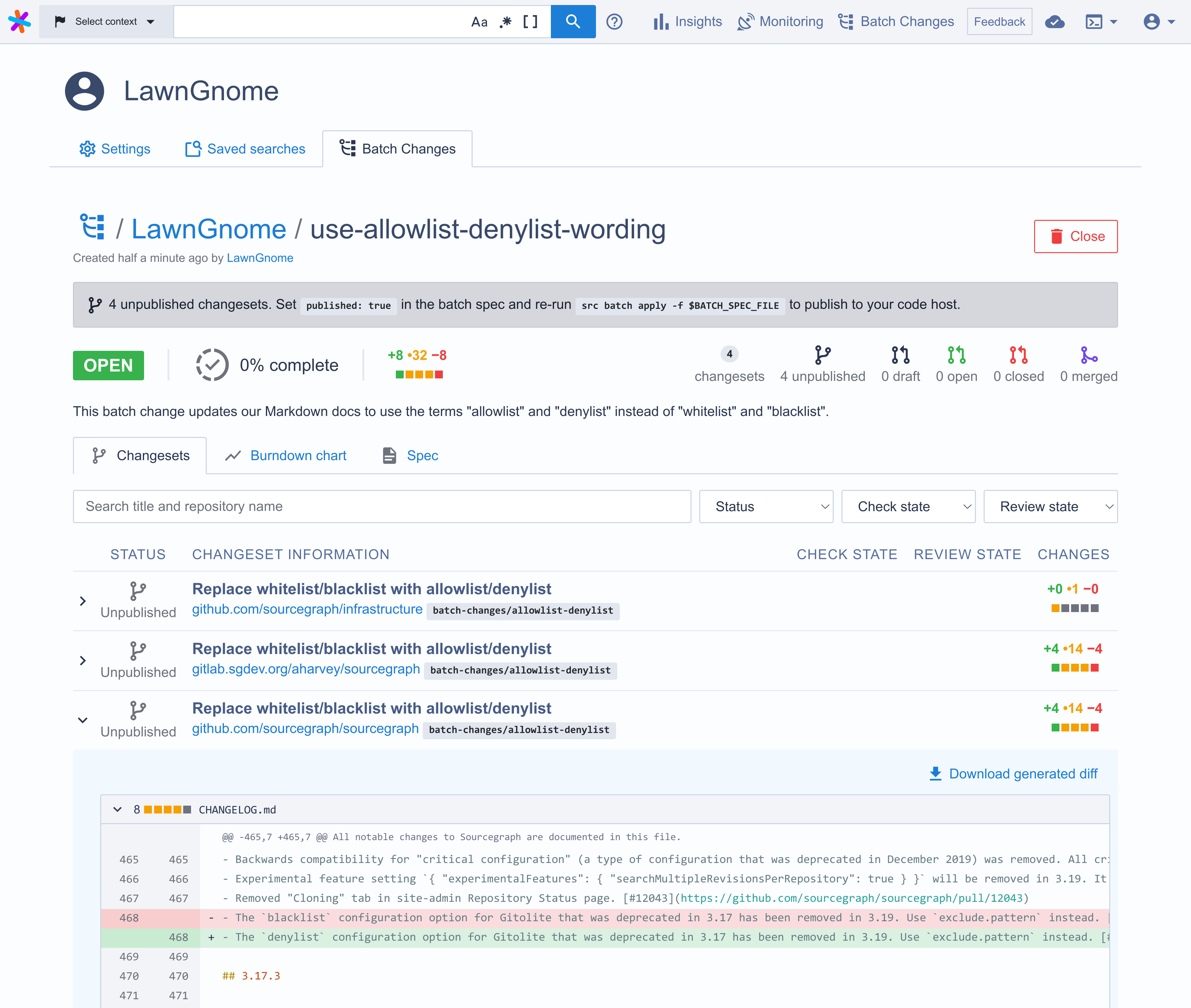
This example shows you how to create [a batch spec](/batch-changes/create-a-batch-change) that replaces the words `whitelist` and `blacklist` with `allowlist` and `denylist` in every Markdown file across your entire code base.
The batch spec can be easily changed to search and replace other terms in other file types.
## Prerequisites
It's recommended to use the latest version of Sourcegraph when working with
Batch Changes.
Before you start, it's better to read the following docs:
- [Batch Changes Quickstart](/batch-changes/quickstart)
- [How to create and run a Batch Spec?](/batch-changes/create-a-batch-change)
## Create the batch spec
Save the following batch spec YAML as `allowlist-denylist.batch.yaml`:
```yaml
name: use-allowlist-denylist-wording
description: This batch change updates our Markdown docs to use the terms "allowlist" and "denylist" instead of "whitelist" and "blacklist".
# Search for repositories in which the term "whitelist" or "blacklist" appears
# in Markdown files.
on:
- repositoriesMatchingQuery: whitelist OR blacklist lang:markdown -file:vendor -file:node_modules
# In each repository
steps:
# find all * or *.markdown files, that are not in a vendor or node_modules
# folder, and replace the terms in them:
- run: |
find . -type f \( -name '*' -or -name '*.markdown' \) -not -path "*/vendor/*" -not -path "*/node_modules/*" |\
xargs sed -i 's/whitelist/allowlist/g; s/blacklist/denylist/g'
container: alpine:3
# Describe the changeset (e.g., GitHub pull request) you want for each repository.
changesetTemplate:
title: Replace whitelist/blacklist with allowlist/denylist
body: This replaces the terms whitelist/blacklist in Markdown files with allowlist/denylist
branch: batch-changes/allowlist-denylist # Push the commit to this branch.
commit:
message: Replace whitelist/blacklist with allowlist/denylist
published: false
```
## Create the batch change
1. In your terminal, run the following command:
```shell
src batch preview -f use-allowlist-denylist-wording.batch.yaml
```
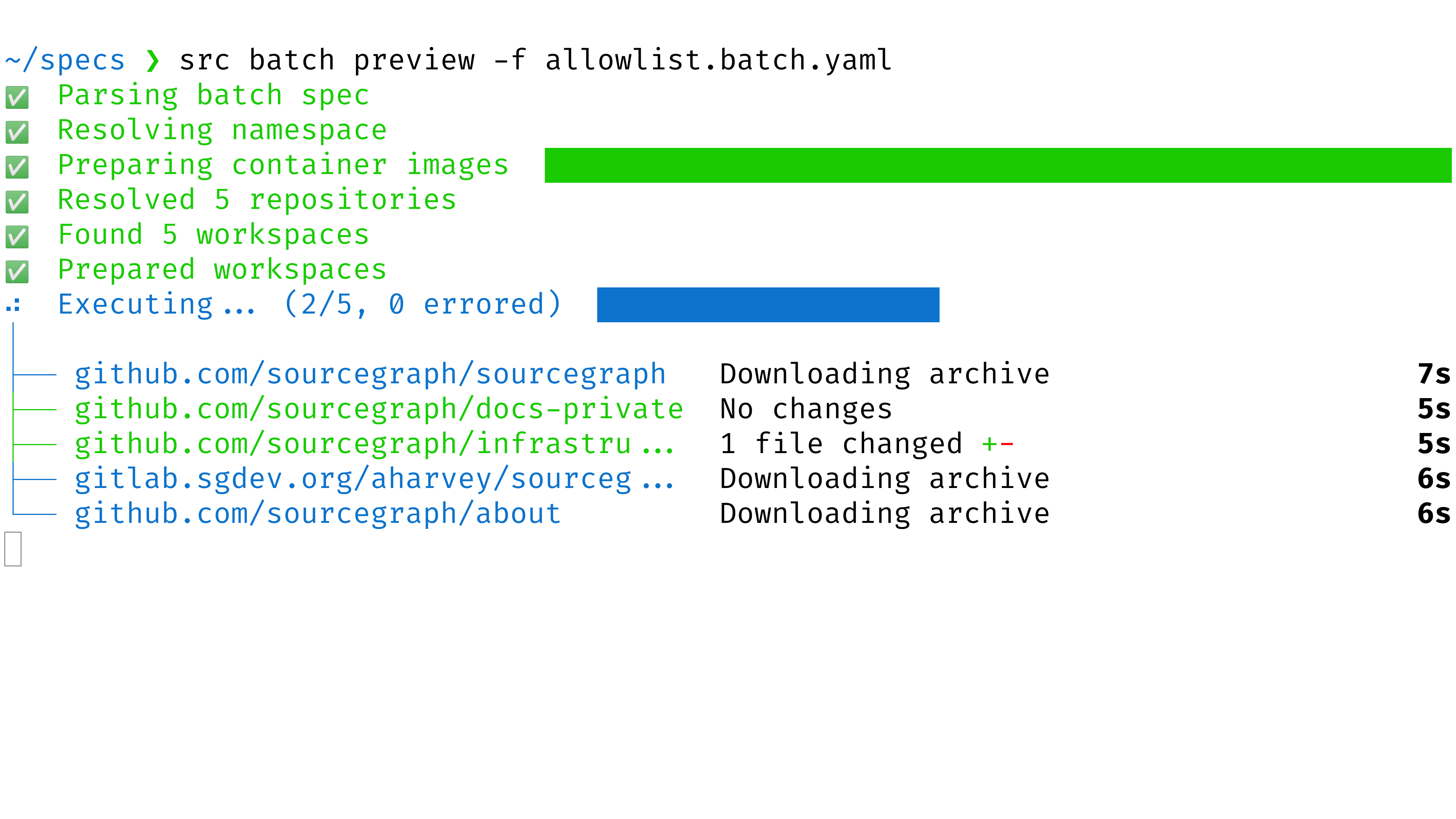
- Wait for it to run and compute the changes for each repository
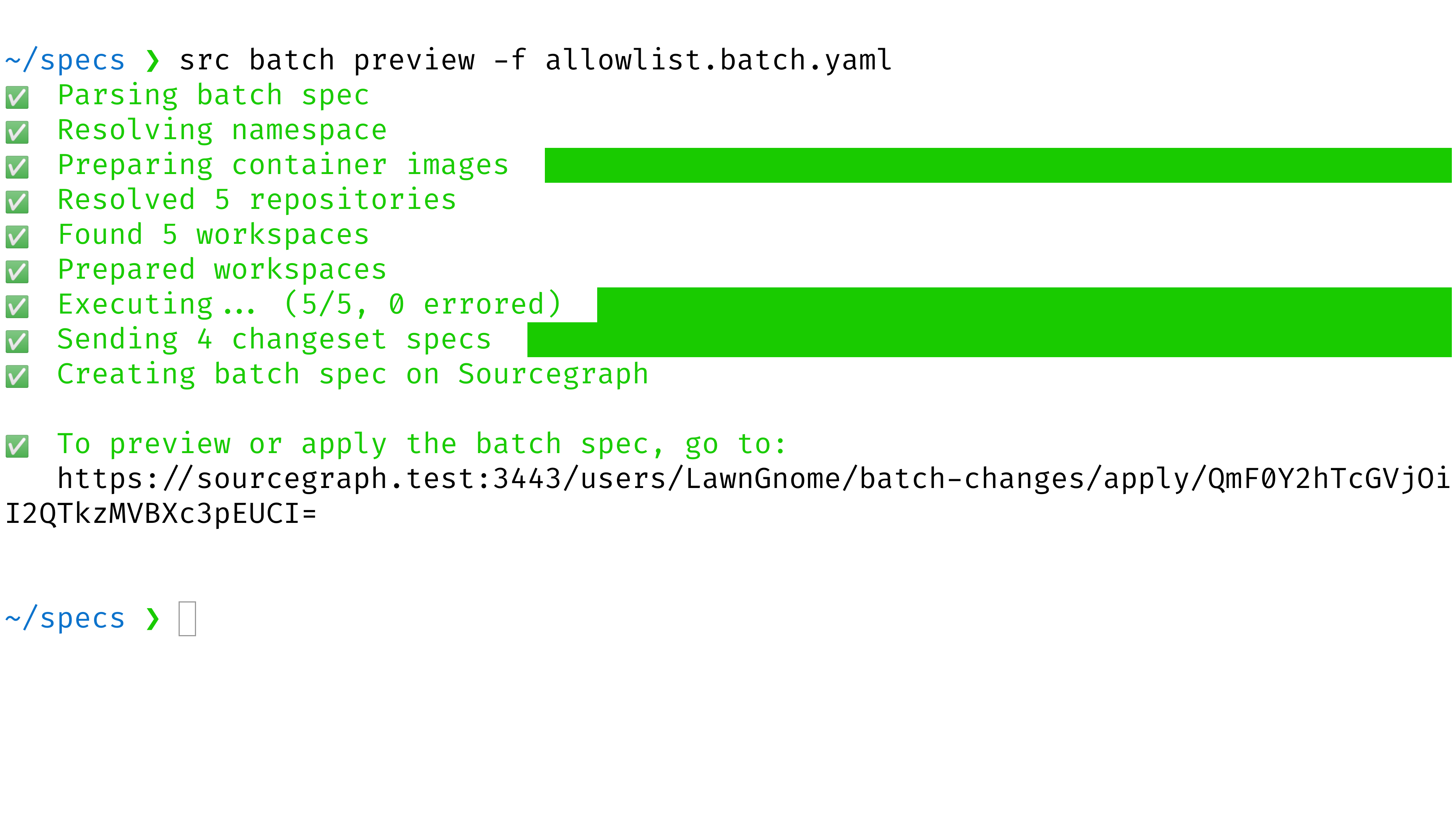
- Open the preview URL that the command printed out
- Examine the preview. Confirm that the changes are what you intended. If not, edit your batch spec and then re-run the command above
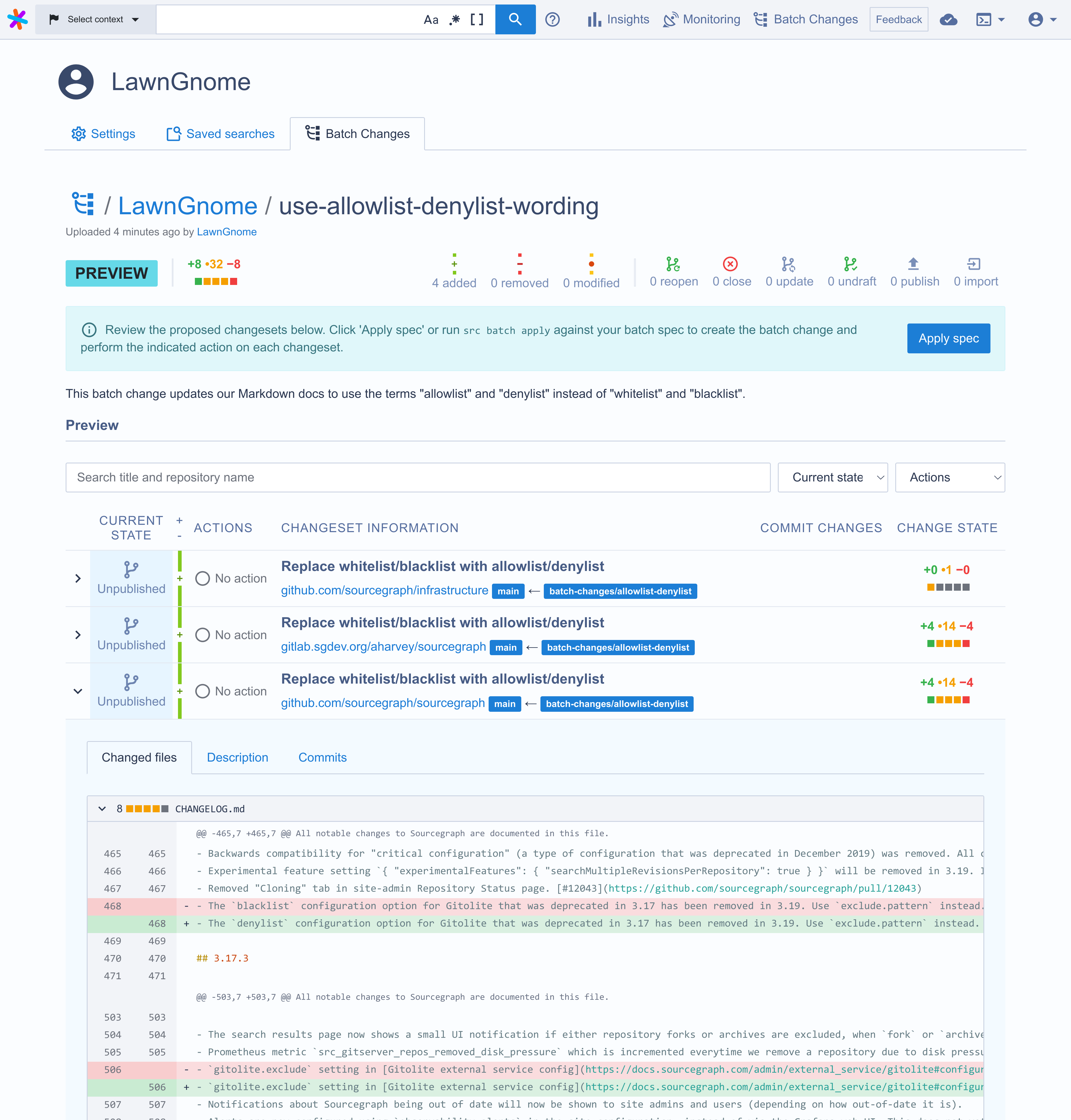
- Click the **Apply** button to create the batch change
- Feel free to then publish the changesets (i.e., create pull requests and merge requests) by [modifying the `published` attribute in the batch spec](/batch-changes/batch-spec-yaml-reference#changesettemplatepublished) and re-running the `src batch preview` command
## Using `ruplacer` to replace terms in multiple case styles
With [ruplacer](https://github.com/TankerHQ/ruplacer) we can easily search and replace terms in multiple case styles: `white_list`, `WhiteList`, `WHITE_LIST` etc.
The easiest way to use `ruplacer` in our batch spec would look like this:
```yaml
steps:
- run: |
find . -type f \( -name '*' -or -name '*.markdown' \) -not -path "*/vendor/*" -not -path "*/node_modules/*" >> /tmp/find_result.txt \
&& cat /tmp/find_result.txt | while read file;
do
ruplacer --subvert whitelist allowlist --go ${file} || echo "nothing to replace";
ruplacer --subvert blacklist denylist --go ${file} || echo "nothing to replace";
done
container: keegancsmith/ruplacer
```
Save the file and run the `src batch preview` command from above again to use `ruplacer` to replace variations of terms. Alternatively if you want to run it on all files:
```yaml
steps:
- run: |
ruplacer --subvert whitelist allowlist --go || echo "nothing to replace"
ruplacer --subvert blacklist denylist --go || echo "nothing to replace"
container: keegancsmith/ruplacer
```